 oasis-b
Docs / Controls and quality of life
LW_Cursor
A mouse pointer that fits a fantasy game, a hand over things you can click, and no pointer at all while someone plays with keys or a pad.
Needs LW_Core (LWZ_Core in MZ) above all Living World plugins in the Plugin Manager. It's included in every pack.
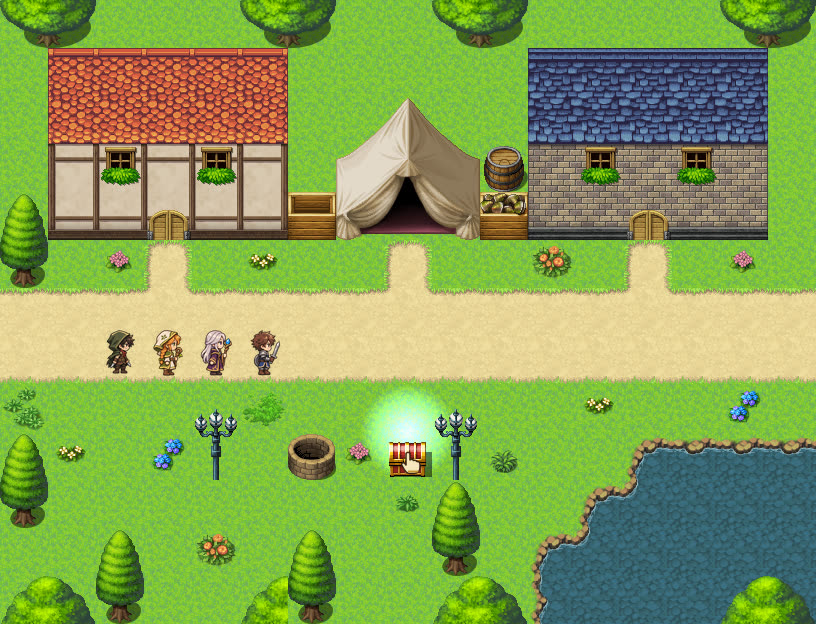
A mouse pointer that belongs in your game.
Highlights
- A pointer in game colors and a pointing hand over things you can click
- Hides at the first key press, comes back when the mouse moves
- Shows the hand over events the player can talk to
- Your own images from img/system if you like
- Free for any game, commercial ones too
Ideas for your game
- A browser game played with the mouse
- A painted fantasy game without the white system arrow
Works well with
Introduction
Requires LW_Core.
The white system arrow looks out of place over a painted fantasy game. This plugin draws a pointer in game colors, a gauntlet style arrow, and switches to a pointing hand when the mouse is over a menu entry, a button or an event the player can talk to.
Players with a gamepad or the keyboard never see a pointer in the middle of their screen: it hides at the first key press and comes back as soon as the mouse moves.
You can use your own images from img/system instead. They load the same way as every other game image, so they also work in encrypted games.
Notetags
Event note or page comment:
<LW Cursor Hover>          hand over this event, whatever its trigger
<LW Cursor Normal>         no hand over this event
Plugin Commands
LW_Cursor hide             no pointer, for a cutscene
LW_Cursor show
LW_Cursor system           back to the system pointer
LW_Cursor game             the game pointer again
Terms of Use
See TERMS_OF_USE.txt in the download. Short version: use it in as many of your own games as you like, free or commercial. Edit it for your game, but keep this header. Don't share or resell the plugin files on their own. Name oasis-b in the credits of your game.
Changelog
Version 1.0.0 - 2026-11-21 - First release.
Plugin commands in MZ
In MZ these come as Plugin Command in the event editor, with fields to fill in. Old MV text commands from copied events keep working.
Pointer Mode
Which pointer the game shows. Saved with the game.
- Mode (select) Default: game.
Introduction
Requires LWZ_Core.
The white system arrow looks out of place over a painted fantasy game. This plugin draws a pointer in game colors, a gauntlet style arrow, and switches to a pointing hand when the mouse is over a menu entry, a button or an event the player can talk to.
Players with a gamepad or the keyboard never see a pointer in the middle of their screen: it hides at the first key press and comes back as soon as the mouse moves.
You can use your own images from img/system instead. They load the same way as every other game image, so they also work in encrypted games.
Notetags
Event note or page comment:
<LW Cursor Hover>          hand over this event, whatever its trigger
<LW Cursor Normal>         no hand over this event
Plugin Commands
Pointer Mode     Game (the drawn or own pointer), Hidden (no pointer,
                 for a cutscene) or System (the normal system arrow)
Events copied from MV with "LW_Cursor hide", "LW_Cursor show", "LW_Cursor system" or "LW_Cursor game" keep working.
Terms of Use
See TERMS_OF_USE.txt in the download. Short version: use it in as many of your own games as you like, free or commercial. Edit it for your game, but keep this header. Don't share or resell the plugin files on their own. Name oasis-b in the credits of your game.
Changelog
Version 1.0.0 - First release for MZ.
Get it
LW_Cursor is in these packs. Every pack comes as an MV and an MZ download at the same price and needs no other plugin collection. Tested in RPG Maker MV 1.6.2 and MZ 1.10.0 games on Windows, macOS and Linux and in current browsers.