 oasis-b
LW_Calendar
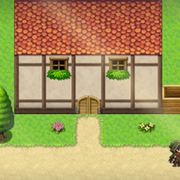
Days, times of day, weekdays and seasons, with a screen tint per time of day and a small clock.
Needs LW_Core (LWZ_Core in MZ) above all Living World plugins in the Plugin Manager. It's included in every pack.
Days that matter: morning, noon, evening and night, weekdays and seasons.
Highlights
- Times of day with their own screen tint, so the village really gets dark at night
- Weekdays and seasons with your own names and as many days per season as you like
- A small clock in the corner, hidden on maps where it would disturb
- Time moves when you say so (sleeping, a cutscene) or on its own while the player walks
- Never moves during messages and events, so scenes stay in one moment
- Indoor maps keep their light, but the clock keeps going
Ideas for your game
- A baker who is only at the market in the morning
- Shops that close at night and a tavern that opens
- A festival on day 7 and snow from the first day of winter
Works well with
Introduction
Requires LW_Core.
A simple calendar for games where days matter: shops that close at night, people who are somewhere else on Sunday, snow in winter. Time moves on when you say so (sleeping, a cutscene) or on its own while the player walks around, if you set Seconds Per Time.
Time never moves while an event or a message runs.
The variables are optional. If you set them, the plugin writes into them whenever something changes, so event pages and conditional branches can use them without a script.
Map Notetags
<LW Indoor>      no tint on this map, time still moves
<LW No Clock>    hides the clock on this map
<LW No Time>     time doesn't move on its own on this map
Plugin Commands
LW_Calendar next            next time of day, after the last: next day
LW_Calendar time n          time of day n (1 = first), same day
LW_Calendar sleep           next day, first time of day
LW_Calendar addDays n       n days later, time of day stays
LW_Calendar setDay n        jump to day n
LW_Calendar clock on        shows the clock (off hides it)
LW_Calendar pause on        stops time on its own (off starts it again)
Script Calls and Text Codes
LW.calendar.day()   .time()   .weekday()   .season()    numbers from 1
LW.calendar.timeName()   .weekdayName()   .seasonName()  names
LW.calendar.text()       "Tuesday, Day 3, Evening"
\LWDAY \LWTIME \LWWEEKDAY \LWSEASON in any message
Terms of Use
See TERMS_OF_USE.txt in the download. Short version: use it in as many of your own games as you like, free or commercial. Edit it for your game, but keep this header. Don't share or resell the plugin files on their own. Name oasis-b in the credits of your game.
Changelog
Version 1.0.0 - 2026-11-21 - First release.
Plugin commands in MZ
In MZ these come as Plugin Command in the event editor, with fields to fill in. Old MV text commands from copied events keep working.
Next Time of Day
Next time of day. After the last one comes the next day.
Set Time of Day
Jumps to a time of day on the same day.
- Time of Day (number): 1 = the first entry of "Times Of Day". Default: 1.
Sleep
Next day, first time of day.
Add Days
Days later, the time of day stays.
- Days (number) Default: 1.
Set Day
Jumps to a day.
- Day (number) Default: 1.
Show Clock
Shows or hides the clock on the map.
- Show (boolean) Default: true.
Pause Time
Stops or starts the time running on its own.
- Pause (boolean) Default: true.
Introduction
Requires LWZ_Core.
A simple calendar for games where days matter: shops that close at night, people who are somewhere else on Sunday, snow in winter. Time moves on when you say so (sleeping, a cutscene) or on its own while the player walks around, if you set Seconds Per Time.
Time never moves while an event or a message runs.
The variables are optional. If you set them, the plugin writes into them whenever something changes, so event pages and conditional branches can use them without a script.
Map Notetags
<LW Indoor>      no tint on this map, time still moves
<LW No Clock>    hides the clock on this map
<LW No Time>     time doesn't move on its own on this map
Plugin Commands
Next Time of Day    after the last time of day: next day
Set Time of Day     time of day n (1 = first), same day
Sleep               next day, first time of day
Add Days            n days later, time of day stays
Set Day             jump to day n
Show Clock          shows or hides the clock
Pause Time          stops time on its own, or starts it again
Script Calls and Text Codes
LW.calendar.day()   .time()   .weekday()   .season()    numbers from 1
LW.calendar.timeName()   .weekdayName()   .seasonName()  names
LW.calendar.text()       "Tuesday, Day 3, Evening"
\LWDAY \LWTIME \LWWEEKDAY \LWSEASON in any message
Terms of Use
See TERMS_OF_USE.txt in the download. Short version: use it in as many of your own games as you like, free or commercial. Edit it for your game, but keep this header. Don't share or resell the plugin files on their own. Name oasis-b in the credits of your game.
Changelog
Version 1.0.0 - First release for MZ.
Get it
LW_Calendar is in these packs. Every pack comes as an MV and an MZ download at the same price and needs no other plugin collection. Tested in RPG Maker MV 1.6.2 and MZ 1.10.0 games on Windows, macOS and Linux and in current browsers.